Running the Drupal "Open Intranet" install profile on Upsun

The process is similar to migrating any other Drupal project to Upsun hosting.
Some install profiles have slightly different workflows or build expectations. In this case, it is almost completely a standard Drupal Composer project build, but there was a small discrepancy in the .gitignore behavior that needed to be modified for successful deployment to Upsuns read-only environment.
Upsun hosting prevents executable code from being modified directly on the server, and requires all code changes to go though git, so the Open Intranet first-time install process that writes to itself had to be allowed for.
Set up local development environment
Create a local working instance of Open Intranet, per official instructions.
curl -sL https://intranet.new/install.sh | bashFollow the instructions and
Run "cd openintranet-nnnnnnnnnn && ddev launch" to install Open Intranet in a browser
to complete the setup.
Review the build process
On a good day, this documented, automated install process will result in a working local instance of Open Intranet, hosted on a local ddev container for you!
By following the Open Intranet install process, your project will begin on a branch corresponding to the upstream release version. For your new project, fork a new branch to work on
git checkout -b mainThe build process will have installed a few code additions (themes, modules) into the web/themes/custom and web/libraries directories. These additions occurred outside of the usual composer build steps, and they need to be captured into the git history for deployment.
Capture the soft additions into git
Adjust the .gitignore to NOT ignore the directories that it has added the libraries to:
   # Ignore theme copied from starter-theme during installation (DEVELOPMENT MODE)
   # /web/themes/custom/
Commit those directories to git.
git add .
git commit -m "Capture openintranet soft-installed themes"
Review composer behavior - commit composer.lock?
The project template published by openintranet is set to .gitignore composer.lock. This means that the exact versions of libraries installed by composer are not captured in git. This may be suitable for some workflows, but for Upsun deployments it is recommended to commit composer.lock to git, to ensure that the exact same library versions are installed on each environment. To commit composer.lock to git, edit .gitignore to remove the line ignoring it then commit the composer.lock file to git.
Add the upsun scaffolding
Upsun compatability can be
- added manually,
- created by using the project setup wizard
upsun project:init, - or automated by using the upsun/drupal-scaffold package.
To use the scaffolding, just include it as a composer dependency:
composer config repositories.upsun-drupal-scaffold vcs https://github.com/upsun/drupal-scaffold
composer config --json --merge extra.drupal-scaffold.allowed-packages '["upsun/drupal-scaffold"]'
composer require --ignore-platform-reqs upsun/drupal-scaffold

git add .
# composer.json .upsun/config.yaml .environment config/sync/.gitignore drush/.gitignore
git commit -m "Add upsun/drupal-scaffold support"
Push to Upsun`
Create a new empty Upsun project (if you haven't already) and push the code to it.
upsun project:set-remote pr0j3c71d
upsun push
Review and complete the install
Depending on your workflow, you may either restart the Drupal install wizard on the Upsun environment from scratch, or start to use the ddev deployment integration feature to push your local work directly to Upsun.
A recommended workflow is to use the DDEV-Upsun integration feature keep your local development environment in sync with the production version on Upsun.
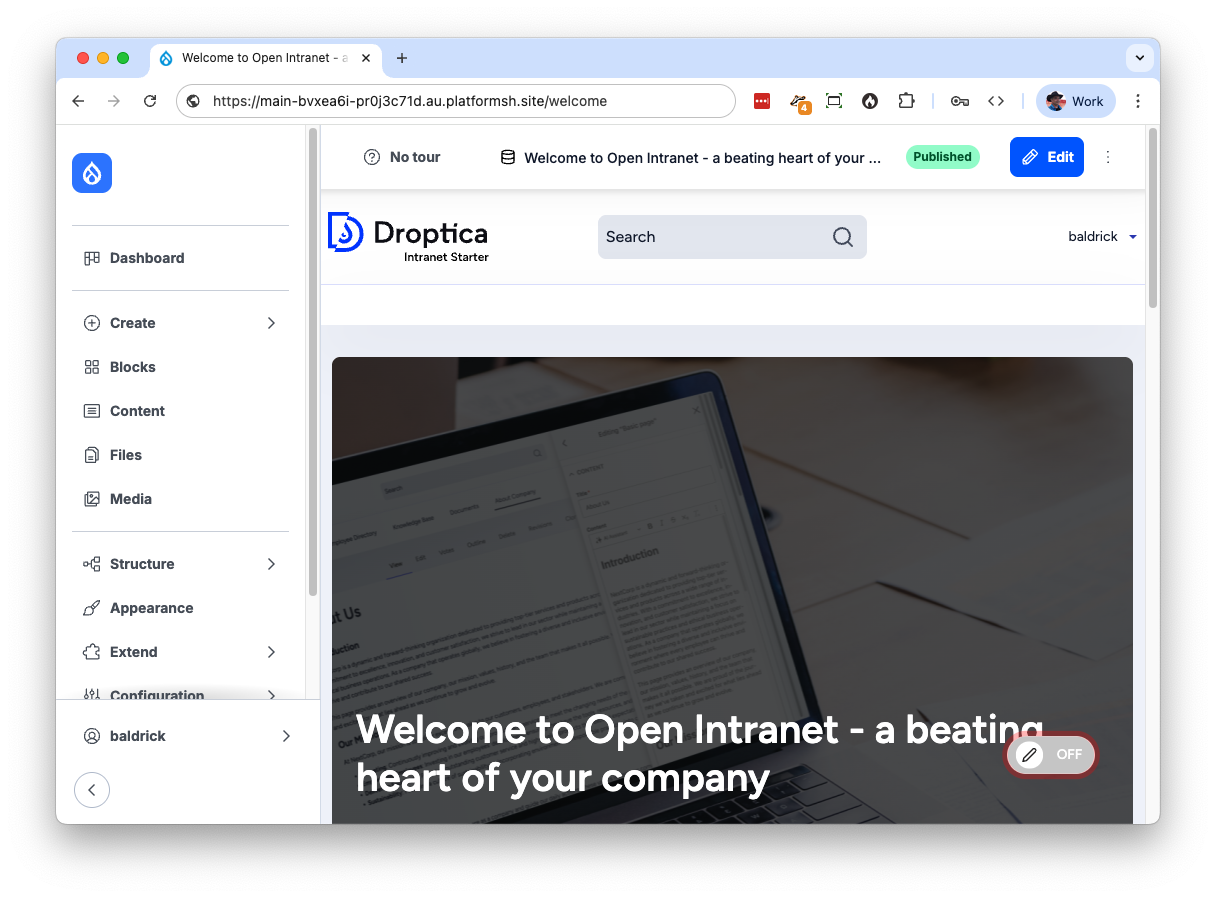
ddev push upsunAnd now you have "Open Intranet" running on Upsun!
Read more in the online Upsun or Droptica Open Intranet docs. If you are unfamiliar with it, also refer to the DDEV docs for some ideas on improving your development workflow, as it integrates well with Upsun.
Comments
Please sign in to leave a comment.